Tutorials · English
Skyscraper editorial format · verified 4 November 2026
GEO internal linking hub: connect evidence to the right page
Internal links help users and crawlers understand relationships between pages. A focused hub is more useful than repeating every URL in a global footer.
Key takeaways
How to design an internal linking hub for GEO and AI visibility content.
- How to design an internal linking hub for GEO and AI visibility content.
- Choose one category and define its hub page, supporting guides, tutorials and commercial destination.
- Audit orphan pages, broken links and click paths after publishing the hub.
- An AI visibility hub can link the definition guide to a benchmark tutorial, citation audit and product audit without exposing every route in the footer.
- Internal links do not guarantee crawling, ranking or citation.
How to design an internal linking hub for GEO and AI visibility content.
- 1Choose one category and define its hub page, supporting guides, tutorials and commercial destination.
- 2Assign one primary intent to each page and link between genuinely related steps in the journey.
- 3Use descriptive anchor text that explains the destination instead of repeating exact-match phrases.
- 4Keep global navigation and footer compact while placing deeper links in contextual sections.
- 5Audit orphan pages, broken links and click paths after publishing the hub.
An AI visibility hub can link the definition guide to a benchmark tutorial, citation audit and product audit without exposing every route in the footer.
Limits
- Internal links do not guarantee crawling, ranking or citation.
- Too many links can dilute attention and accessibility.
- Anchor text should describe the destination honestly.
How to interpret the result
GEO internal linking hub: connect evidence to the right page. This is a decision workflow, not a checklist of isolated settings. Read each observation against the original question, the public output and the expected user or crawler behaviour.
Interpret the observation in context
How to design an internal linking hub for GEO and AI visibility content. Start with the exact scope, then compare the observed value with the expected value. A green status can confirm one technical observation while leaving indexation, ranking or conversion unanswered.
Context before conclusion
An AI visibility hub can link the definition guide to a benchmark tutorial, citation audit and product audit without exposing every route in the footer.
A practical operating note
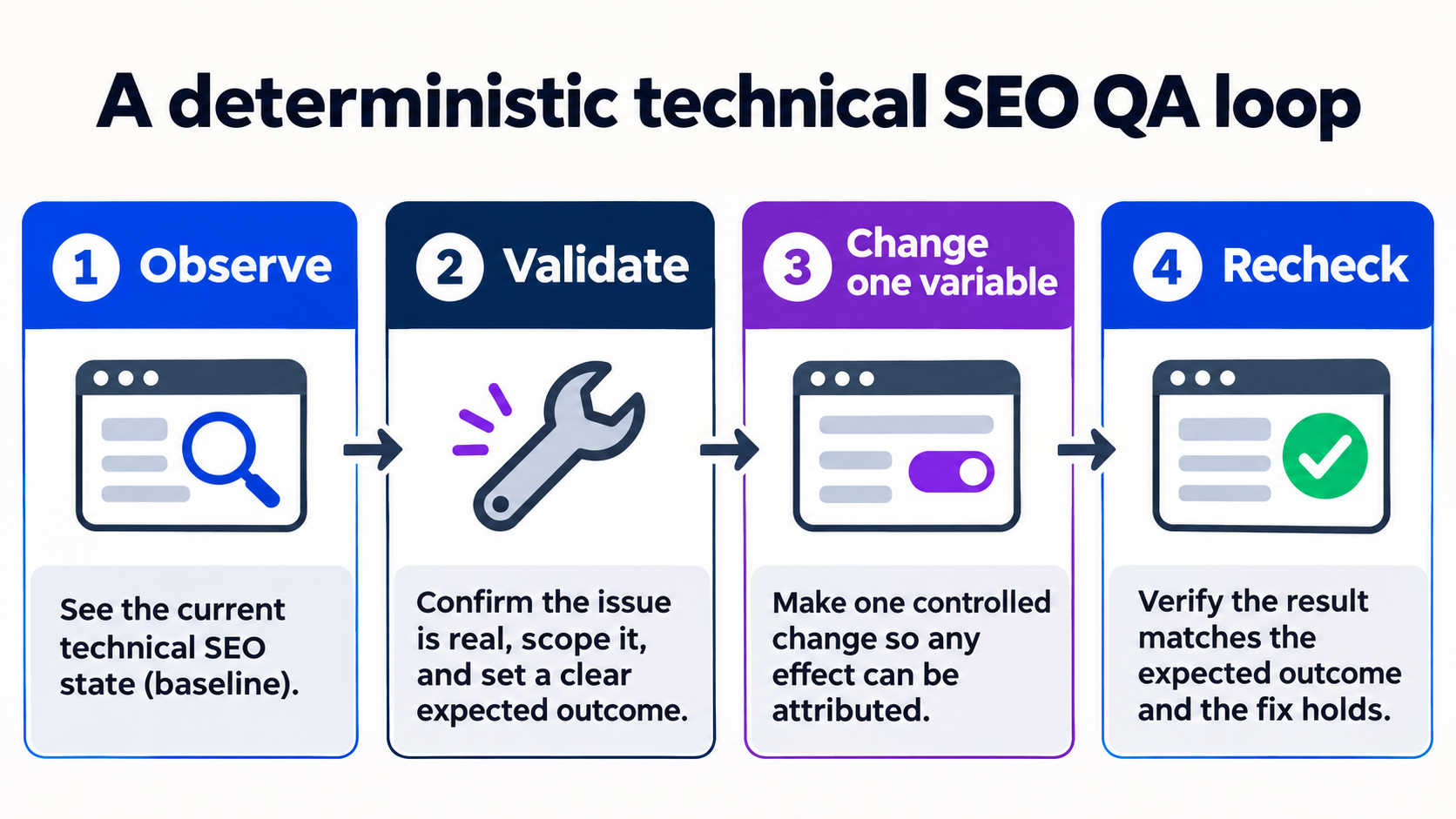
Use this as a decision record: define the question, inspect the live output, make one controlled change, and recheck the same evidence. That sequence keeps diagnosis separate from assumptions. Make the smallest reversible change possible and keep the previous value. This protects the page from accidental regressions and gives another specialist enough context to reproduce the review.
Quality gate
Internal links do not guarantee crawling, ranking or citation.
What to measure next
Record the exact URL or property, the date, the tool state and the visible output. Repeat the same check after the change and compare like-for-like values instead of relying on a single screenshot.
Next observation
Audit orphan pages, broken links and click paths after publishing the hub. Keep the result separate from traffic, ranking and revenue claims until those outcomes are measured in their own systems.
The step-by-step workflow
Use this as a decision record: define the question, inspect the live output, make one controlled change, and recheck the same evidence. That sequence keeps diagnosis separate from assumptions.
Choose one category and define its hub page, supporting guides, tutorials and commercial destination.
Why it matters
Start by writing down the exact question and scope. A precise question prevents the workflow from drifting into unrelated checks.
Assign one primary intent to each page and link between genuinely related steps in the journey.
Why it matters
Validate the live output before editing anything. This creates a baseline and separates a real defect from a reporting delay.
Use descriptive anchor text that explains the destination instead of repeating exact-match phrases.
Why it matters
Check the surrounding signals that can explain the observation. Compare like-for-like values instead of relying on one screenshot or status label.
Keep global navigation and footer compact while placing deeper links in contextual sections.
Why it matters
Change one variable at a time and record what changed. Controlled changes make the next observation attributable and reversible.
Audit orphan pages, broken links and click paths after publishing the hub.
Why it matters
Recheck the same evidence after the change. Record the timestamp and outcome so the result can be reviewed later.
Intent
Evidence
Controlled change
Recheck
Evidence and implementation notes
An AI visibility hub can link the definition guide to a benchmark tutorial, citation audit and product audit without exposing every route in the footer.
Capture the exact URL or property, timestamp, expected state and observed result. Keeping those fields together makes the work reproducible and easier to hand off.
intent: How to design an internal linking hub for GEO and AI visibility content.
language: en
evidence: official-tool workflow + local QA
status: reviewable tutorial| Check | What to capture | Why it matters |
|---|---|---|
| 1. Choose one category and define its hub page, supporting guides, tutorials and commercial destination. | Exact value, URL, timestamp and visible status. | Preserves a reviewable baseline before and after a change. |
| 2. Assign one primary intent to each page and link between genuinely related steps in the journey. | Exact value, URL, timestamp and visible status. | Preserves a reviewable baseline before and after a change. |
| 3. Use descriptive anchor text that explains the destination instead of repeating exact-match phrases. | Exact value, URL, timestamp and visible status. | Preserves a reviewable baseline before and after a change. |
| 4. Keep global navigation and footer compact while placing deeper links in contextual sections. | Exact value, URL, timestamp and visible status. | Preserves a reviewable baseline before and after a change. |
| 5. Audit orphan pages, broken links and click paths after publishing the hub. | Exact value, URL, timestamp and visible status. | Preserves a reviewable baseline before and after a change. |
Common mistakes to avoid
The most expensive errors come from changing several variables at once or treating a tool status as a business outcome. Use each limitation below as a quality gate before publishing a conclusion.
1. Quality gate
Internal links do not guarantee crawling, ranking or citation.
2. Quality gate
Too many links can dilute attention and accessibility.
3. Quality gate
Anchor text should describe the destination honestly.
Frequently asked questions
What is the fastest safe way to start?
Use this as a decision record: define the question, inspect the live output, make one controlled change, and recheck the same evidence. That sequence keeps diagnosis separate from assumptions. Choose one category and define its hub page, supporting guides, tutorials and commercial destination.
Does a successful check guarantee a business result?
An AI visibility hub can link the definition guide to a benchmark tutorial, citation audit and product audit without exposing every route in the footer. Internal links do not guarantee crawling, ranking or citation.
What should I record for a repeatable review?
Capture the exact URL or property, timestamp, expected state and observed result. Keeping those fields together makes the work reproducible and easier to hand off. Audit orphan pages, broken links and click paths after publishing the hub.
Talk to an expert
Want this workflow applied to your site? Talk to a ViziGEO expert for a practical next step and a reviewable evidence baseline.